

Corporate
Address
27 Journey Suite 100
Aliso Viejo Ca 92656
Phone
+1 (800) 234-9292
Email Address
support@centon.com
Opening Time
Mon-Fri: 8:00 AM - 5:00 PM
Learning Center › SD Technology
Learning Center
How to read the symbols on an SD or microSD card, and which card fits your phone, camera, console or drone.
Pick a card
| Device | Size | Look for |
|---|---|---|
| Phone or tablet | microSD | U1 or faster, A1 or A2 if you install apps on the card |
| Nintendo Switch | microSD | microSDXC, U1 or faster (Switch 2 requires microSD Express) |
| Dash cam or security camera | microSD | U1 / V10 or faster; these record nonstop, so replace the card regularly |
| Action camera or drone | microSD | U3 / V30 for 4K video |
| Digital camera | SD | U3 / V30 for 4K; V60 or V90 for high-bitrate 4K and 8K |
| Laptop card reader | SD or microSD with adapter | Any; larger capacity for photo and file storage |
Speed classes
The symbols on a card promise a minimum sustained write speed, which is what matters when recording video. Match the rating to the video you record. Symbols in the same row mean the same minimum speed, so a card marked U3 and V30 meets both.
| Minimum write | Speed Class | UHS Speed | Video Speed | Good for |
|---|---|---|---|---|
| 90 MB/s | V90 | 8K, high-bitrate 4K | ||
| 60 MB/s | V60 | 4K, 8K | ||
| 30 MB/s | U3 | V30 | 4K, Full HD | |
| 10 MB/s | Class 10 | U1 | V10 | Full HD, HD |
| 6 MB/s | Class 6 | V6 | HD | |
| 4 MB/s | Class 4 | Standard video, photos | ||
| 2 MB/s | Class 2 | Standard video, photos |
A1 and A2: app performance. Phones and the Nintendo Switch run apps and games straight from the card, which means many small reads and writes. A1 cards guarantee 1,500 read and 500 write operations per second; A2 cards guarantee 4,000 and 2,000. For storing photos and video only, A ratings do not matter.
"Up to" speeds. The large MB/s number on the package is the card's best-case read speed. The speed class symbols above are the guaranteed minimum write speed, which is the better guide for video.
Bus interfaces
The bus is the connection between card and device. A card runs at the speed of the slower of the two, so a UHS-II card in a UHS-I reader runs at UHS-I speed.
Up to 25 MB/s on the SD bus.
Up to 104 MB/s. The most common bus in phones, cameras and laptops.
Up to 312 MB/s (UHS-II) and 624 MB/s (UHS-III), using a second row of pins.
985 MB/s (PCIe Gen.3x1), 1970 MB/s (PCIe Gen.4x1 or Gen.3x2) and 3940 MB/s (PCIe Gen.4x2). microSD Express supports PCIe Gen.3 only.
Capacity
Standard Capacity. The original card type; rarely sold today.
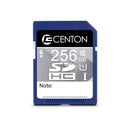
High Capacity. Works in almost every device made since 2006.
Extended Capacity. The standard for cards over 32 GB; very old devices that read only SDHC will not recognize it.
Ultra Capacity. Needs a device that supports SDUC.

More guides
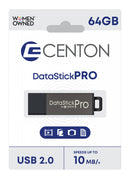
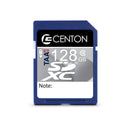
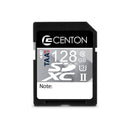
Professional Series SD and microSD in U1 and U3, built to a controlled specification.
Shop microSD → Shop SD →Support
For formatting, write protection and lost files, see the full FAQ.
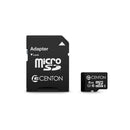
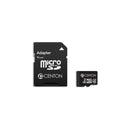
Slide the microSD card into the adapter, label side up, until it stops. Make sure the adapter's lock switch is up, then insert the adapter into the SD slot.
The card is probably formatted FAT32, which cannot store a single file over 4 GB. Back it up and reformat it as exFAT, or format it in the device you record with.
Yes. Format a new card in the camera, phone or console you will use it in, so the card is set up exactly the way that device expects.
Tell us your device and how you use it, and we will recommend the right card.
Or call 800-234-9292, Monday to Friday.We’re here to help! Reach out to us with your inquiries, feedback, or support needs. Our team is ready to assist you.
Have questions or need assistance? Fill out the form below, and we’ll get back to you shortly.