

Corporate
Address
27 Journey Suite 100
Aliso Viejo Ca 92656
Phone
+1 (800) 234-9292
Email Address
support@centon.com
Opening Time
Mon-Fri: 8:00 AM - 5:00 PM
Learning Center › USB Drives
Learning Center
The USB flash drive is still one of the most popular portable storage devices in the world: small, inexpensive, fast and plug-and-play everywhere. Here is what the USB names and connectors mean, and how fast a drive really goes.
The basics
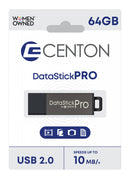
USB stands for Universal Serial Bus, the standard connection that computers, phones, TVs and cars use to link accessories and storage. A USB flash drive is a small storage device that plugs into a USB port, so you can carry files from one device to another. Plug it in and it appears as a drive, with nothing to install.
What's inside
A USB connector, flash memory chips, and a small controller that manages everything, all in a shell small enough for a keychain. The flash keeps your files with the power off; the controller decides where data goes and spreads wear evenly.
USB generations
| Current name | Also sold as | Connection speed | Typical flash drive speed (approx.) | Connector |
|---|---|---|---|---|
| USB 2.0 | Hi-Speed USB | 480 Mbps | 35 to 40 MB/s | Type-A or Type-C |
| USB 3.2 Gen 1 | USB 3.0, USB 3.1 Gen 1, "USB 5Gbps" | 5 Gbps | about 100 MB/s | Type-A or Type-C |
| USB 3.2 Gen 2 | USB 3.1 Gen 2, "USB 10Gbps" | 10 Gbps | about 400 MB/s | Type-A or Type-C |
| USB 3.2 Gen 2x2 | "USB 20Gbps" | 20 Gbps | Portable SSDs only | Type-C only |
| USB4 | "USB 40Gbps" or "USB 80Gbps" (USB4 Version 2.0) | 40 or 80 Gbps | Portable SSDs only | Type-C only |
The same speed has had three names. USB 3.0, USB 3.1 Gen 1 and USB 3.2 Gen 1 all mean the same 5 Gbps connection.
A blue tab inside a Type-A plug often marks USB 3.x, but the color is optional, so check the package to be sure.
Most flash drives are limited by the chips inside, not the USB connection itself, especially when writing. Portable SSDs are the only drives fast enough to approach the connection's real limit, which is near 450 MB/s for USB 3.2 Gen 1 and near 1,000 MB/s for USB 3.2 Gen 2.
Connectors
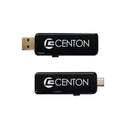
 Classic
The rectangular connector that has been around for decades. One orientation only. Still the most common port on desktops and older laptops.
 Modern
Smaller and reversible. Standard on newer laptops, phones and tablets.
Beyond storage
Run software without installing it on the host computer.
Install or repair operating systems.
Hardware two-factor authentication for logins.
AES 128-bit or 256-bit hardware encryption for sensitive data.
More guides
Personal and Professional Series drives, plus custom logos, colors and preloaded content for promotions and programs.
Or call 800-234-9292, Monday to Friday.We’re here to help! Reach out to us with your inquiries, feedback, or support needs. Our team is ready to assist you.
Have questions or need assistance? Fill out the form below, and we’ll get back to you shortly.