

![DataStick Dual [Type A + Type C] USB 3.2](http://www.centon.com/cdn/shop/products/3-S1-U3D2-32G.jpg?v=1638230458&width=130)
Corporate
Address
27 Journey Suite 100
Aliso Viejo Ca 92656
Phone
+1 (800) 234-9292
Email Address
support@centon.com
Opening Time
Mon-Fri: 8:00 AM - 5:00 PM
Plain-English guides to the flash technologies powering phones, laptops, cameras, cars, and just about everything else.
Flash memory is in almost every device you use. Different forms of it solve different problems — some prioritize speed, some prioritize cost, some prioritize fitting into tiny spaces. Here's what each major type is, how it works, and where you'll run into it.
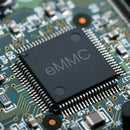
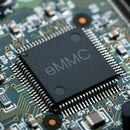
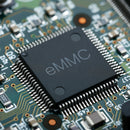
Short for "embedded Multi-Media Card." A compact package that combines flash memory and its controller on a single chip — designed for devices where small size and low power matter more than raw speed.
The storage chips and the controller that manages them live on the same silicon die, talking to the device's main processor through the MMC interface. That integration is what makes eMMC small enough to fit into phones, tablets, and dashboards. Device makers don't need to design their own flash controller or manage low-level memory operations — everything is handled inside the package.
For higher-end devices, UFS (Universal Flash Storage) has become the successor. UFS delivers faster transfer speeds with a different interface, but eMMC remains the go-to for cost-sensitive, space-constrained applications — and will for a long time.
Non-volatile storage — it keeps your data when the power is off. NAND Flash is inside your phone, SSD, USB drive, memory card, car, TV, and every other device that remembers files without needing a battery to do so.
The main difference between NAND types is how many bits each memory cell can hold. Fewer bits per cell means faster writes, longer life, lower capacity, and higher cost per GB. More bits per cell means cheaper, bigger drives — but slower writes and shorter lifespan.
Each flash cell can only be erased and rewritten a finite number of times before it wears out — called a Program/Erase (P/E) cycle. SLC handles roughly 100,000 cycles. QLC handles around 1,000. For everyday consumer use this rarely matters; you'll replace the device before the flash wears out. For heavy workloads or industrial use, endurance is the deciding factor.
Industrial NAND is built for extended temperature ranges, higher endurance, and longer support lifecycles — so a device built today can still be manufactured identically years from now. Consumer NAND optimizes for cost and capacity. Both are "NAND Flash," but they're engineered for very different use cases.
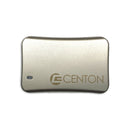
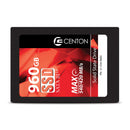
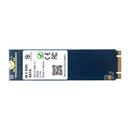
A Solid State Drive stores data on NAND Flash chips instead of spinning magnetic platters. No moving parts means faster access, better reliability, lower power draw, and silent operation.
| Interface | Typical Max Speed | Best For |
|---|---|---|
| SATA | ~550 MB/s | Older systems, budget builds, any everyday use where raw speed isn't critical |
| NVMe (PCIe 3.0) | ~3,500 MB/s | Modern laptops and desktops, gaming, content creation |
| NVMe (PCIe 4.0) | ~7,000 MB/s | Latest systems, high-end workloads, large file transfers |
| NVMe (PCIe 5.0) | ~14,000 MB/s | Cutting-edge systems, professional workloads |
If you're still running a spinning hard drive — yes, without hesitation. An SSD upgrade is the single biggest performance improvement you can make to a computer. Boot times, app launches, and file loads all get noticeably faster. Even a budget SATA SSD will feel dramatically faster than a hard drive.
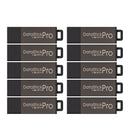
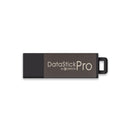
The USB flash drive is still one of the most popular portable storage devices in the world — small, cheap, fast, and plug-and-play everywhere.
A USB connector, one or more NAND Flash memory chips, a controller chip that manages reads and writes, and a crystal oscillator for timing. All packed into a shell small enough to fit on a keychain.
| Generation | Max Transfer Speed |
|---|---|
| USB 2.0 | 480 Mb/s |
| USB 3.0 / 3.1 Gen 1 | 5 Gb/s |
| USB 3.1 Gen 2 | 10 Gb/s |
| USB 3.2 Gen 2×2 | 20 Gb/s |
| USB4 | 40 Gb/s |
Newer USB versions are always backward compatible — a USB 3.2 drive works fine in a USB 2.0 port, just at USB 2.0 speeds.
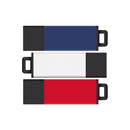
Many modern flash drives now include both connectors on opposite ends of the same drive — handy for bridging between old and new devices.
USB drives aren't just for files:
We’re here to help! Reach out to us with your inquiries, feedback, or support needs. Our team is ready to assist you.
Have questions or need assistance? Fill out the form below, and we’ll get back to you shortly.